Arch Linuxを使いたくて,空いていたMacBook Proに入れて使い勝手を検証しています.(H/Wのクセがありトラブルが多いで検証には向いていません.おすすめしません!)
環境
- MacBook Pro: 13-inch, 2017, Thunderbolt 3ポートx2 (A1708, MacBookPro14,1)
- Arch Linux
- Linux Kernel: 7.2.4-arch1-2
問題
Arch Linuxを普通にインストールした段階ではBluetoothが利用できる状態になりませんでした. KDE plasmaのSystem SettingsにBluetoothの項目があり,スイッチをEnabledにしてもメニューを切り替えて戻すとOffに戻ってしまう状況でした.
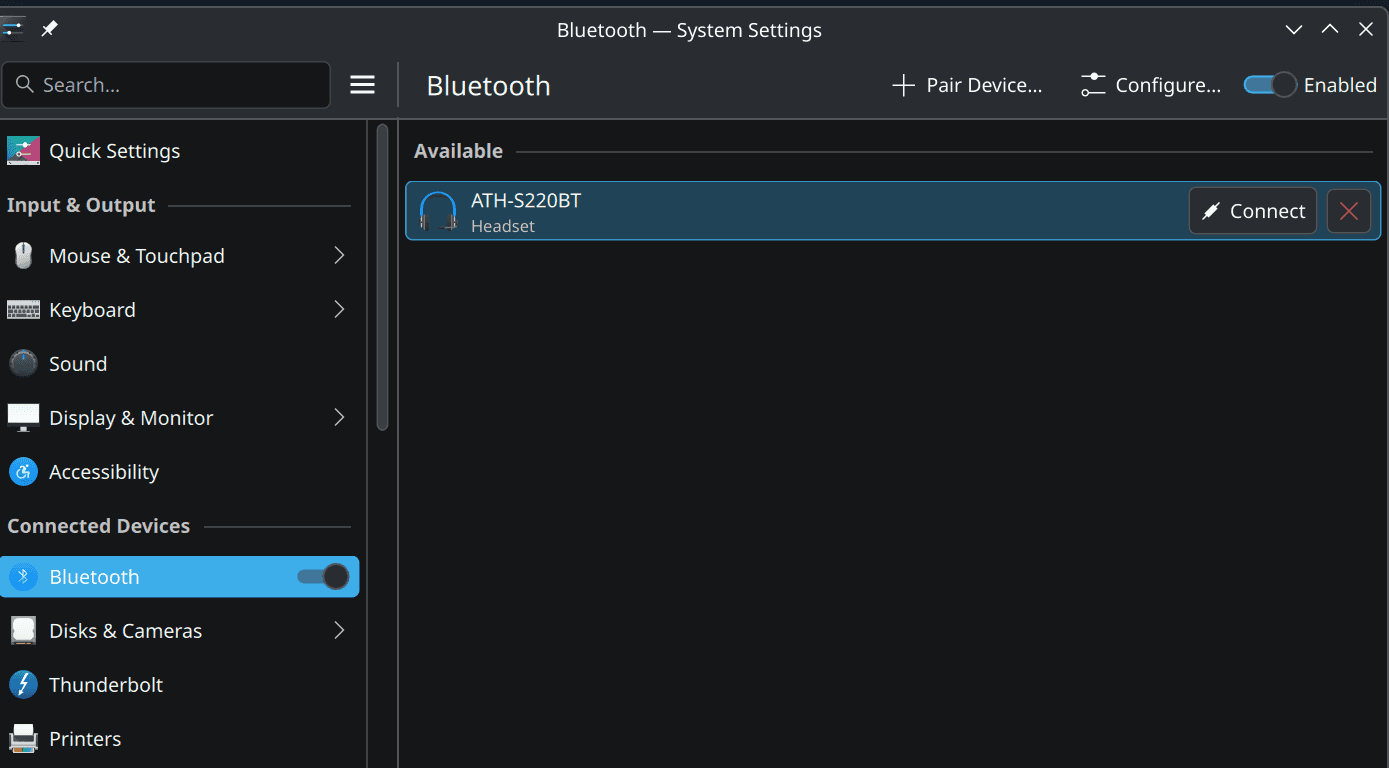
画像は問題解決したあとで撮ったもので,この画像の右上にあるEnabledをOnにしてもOffに戻ってしまう感じでした.`
調査
まずBluetoothがハードウェアとして認識されているのか確認しました.
rfkill list
#1> 0: hci0: Bluetooth
#1> 	Soft blocked: no
#1> 	Hard blocked: no
#1> 2: phy1: Wireless LAN
#1> 	Soft blocked: no
#1> 	Hard blocked: no
されてます.bluetoothサービスの状況はどうでしょう.
systemctl status bluetooth --no-pager
#1> ○ bluetooth.service - Bluetooth service
#1>      Loaded: loaded (/usr/lib/systemd/system/bluetooth.service; disabled; preset: disabled)
#1>      Active: inactive (dead)
#1>        Docs: man:bluetoothd(8)
動いてないです.
解決方法
bluetoothctlコマンドを使いたいので,bluezとbluez-utilsをインストールして(任意),bluetoothサービスを開始しました.
sudo pacman -S bluez bluez-utils
sudo systemctl enable --now bluetooth
その後,状況を確認するとちゃんとサービスが動き出したようです.
systemctl status bluetooth
#1> ● bluetooth.service - Bluetooth service
#1>      Loaded: loaded (/usr/lib/systemd/system/bluetooth.service; enabled; preset: disabled)
#1>      Active: active (running) since Wed 2026-09-16 01:48:16 JST; 9s ago
#1>  Invocation: 02b4035f13bf468fbb01720420ac77f0
#1>        Docs: man:bluetoothd(8)
#1>    Main PID: 4611 (bluetoothd)
#1>      Status: "Running"
#1>       Tasks: 1 (limit: 9319)
#1>      Memory: 812K (peak: 2.7M)
#1>         CPU: 40ms
#1>      CGroup: /system.slice/bluetooth.service
#1>              └─4611 /usr/lib/bluetooth/bluetoothd
#1>
#1> Sep 16 01:48:16 HOSTNAME bluetoothd[4611]: Endpoint registered: sender=:1.29 path=/MediaEndpoint/A2DPSource/aptx_ll_1
#1> Sep 16 01:48:16 HOSTNAME bluetoothd[4611]: Endpoint registered: sender=:1.29 path=/MediaEndpoint/A2DPSource/aptx_ll_0
#1> Sep 16 01:48:16 HOSTNAME bluetoothd[4611]: Endpoint registered: sender=:1.29 path=/MediaEndpoint/A2DPSource/aptx_ll_duplex_1
#1> Sep 16 01:48:16 HOSTNAME bluetoothd[4611]: Endpoint registered: sender=:1.29 path=/MediaEndpoint/A2DPSource/aptx_ll_duplex_0
#1> Sep 16 01:48:16 HOSTNAME bluetoothd[4611]: Endpoint registered: sender=:1.29 path=/MediaEndpoint/A2DPSource/faststream
#1> Sep 16 01:48:16 HOSTNAME bluetoothd[4611]: Endpoint registered: sender=:1.29 path=/MediaEndpoint/A2DPSource/faststream_duplex
#1> Sep 16 01:48:16 HOSTNAME bluetoothd[4611]: Endpoint registered: sender=:1.29 path=/MediaEndpoint/A2DPSink/opus_05
#1> Sep 16 01:48:16 HOSTNAME bluetoothd[4611]: Endpoint registered: sender=:1.29 path=/MediaEndpoint/A2DPSource/opus_05
#1> Sep 16 01:48:16 HOSTNAME bluetoothd[4611]: Endpoint registered: sender=:1.29 path=/MediaEndpoint/A2DPSink/opus_05_duplex

bluetoothctl show
#1> Controller 8C:85:90:FF:FF:FF (public)
#1> 	Manufacturer: 0x000f (15)
#1> 	Version: 0x08 (8)
#1> 	Name: HOSTNAME
#1> 	Alias: HOSTNAME
#1> 	Class: 0x006c010c (7078156)
#1> 	Powered: yes
#1> 	PowerState: on
#1> 	Discoverable: no
#1> 	DiscoverableTimeout: 0x000000b4 (180)
#1> 	Pairable: yes
#1> 	UUID: A/V Remote Control        (0000110e-0000-1000-8000-000000000000)
#1> 	UUID: Handsfree Audio Gateway   (0000111f-0000-1000-8000-000000000000)
#1> 	UUID: PnP Information           (00001200-0000-1000-8000-000000000000)
#1> 	UUID: Audio Sink                (0000110b-0000-1000-8000-000000000000)
#1> 	UUID: Audio Source              (0000110a-0000-1000-8000-000000000000)
#1> 	UUID: A/V Remote Control Target (0000110c-0000-1000-8000-000000000000)
#1> 	UUID: Generic Access Profile    (00001800-0000-1000-8000-000000000000)
#1> 	UUID: Generic Attribute Profile (00001801-0000-1000-8000-000000000000)
#1> 	UUID: Device Information        (0000180a-0000-1000-8000-000000000000)
#1> 	UUID: Vendor specific           (03b80e5a-ede8-4b33-a751-000000000000)
#1> 	UUID: Handsfree                 (0000111e-0000-1000-8000-000000000000)
#1> 	Modalias: usb:000000000000000
#1> 	Discovering: no
#1> 	Roles: central
#1> 	Roles: peripheral
#1> Advertising Features:
#1> 	ActiveInstances: 0x00 (0)
#1> 	SupportedInstances: 0x05 (5)
#1> 	SupportedIncludes: tx-power
#1> 	SupportedIncludes: appearance
#1> 	SupportedIncludes: local-name
#1> 	SupportedCapabilities.MaxAdvLen: 0x1f (31)
#1> 	SupportedCapabilities.MaxScnRspLen: 0x1f (31)
単にサービスが起動していなかっただけっぽいです.
これで,冒頭の画像のようにペアリングをすることができました. (オーディオテクニカのヘッドホンを接続し,音楽を聞くことができました.)